
Automations (Rules)
Build rules around the sensors, vehicle data and controls you have configured: switch a fan, select a boost profile, manage an accessory or start another rule. The Automations tab is the editor; the saved rules run on FusionDrive, including when your phone is disconnected.
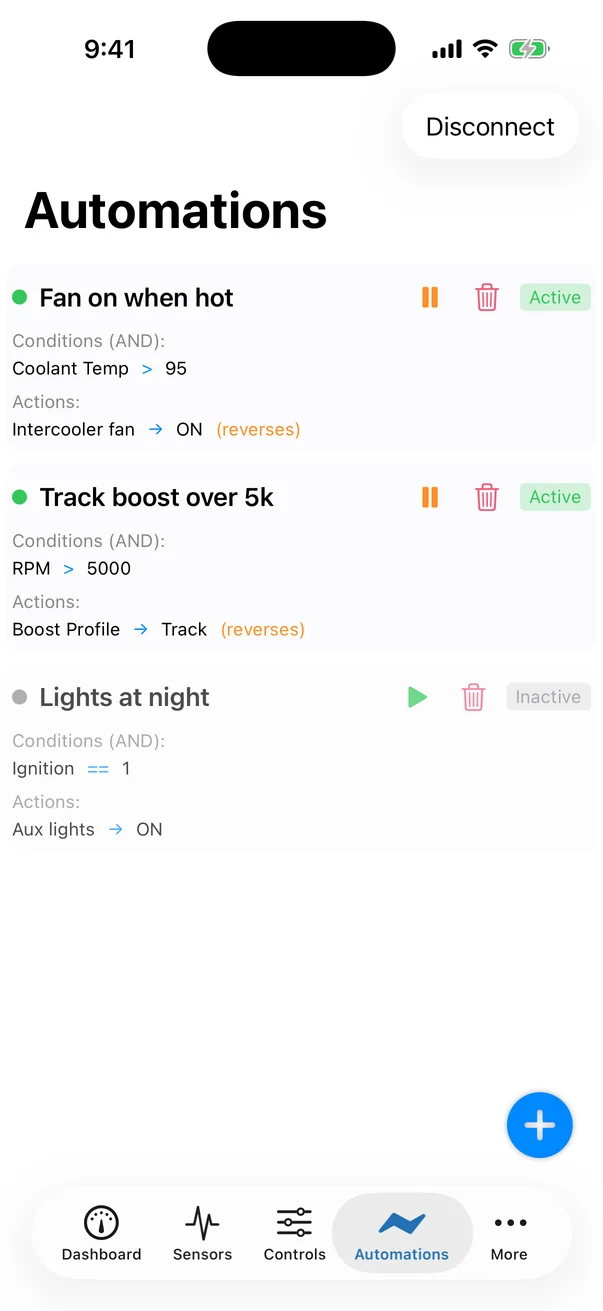
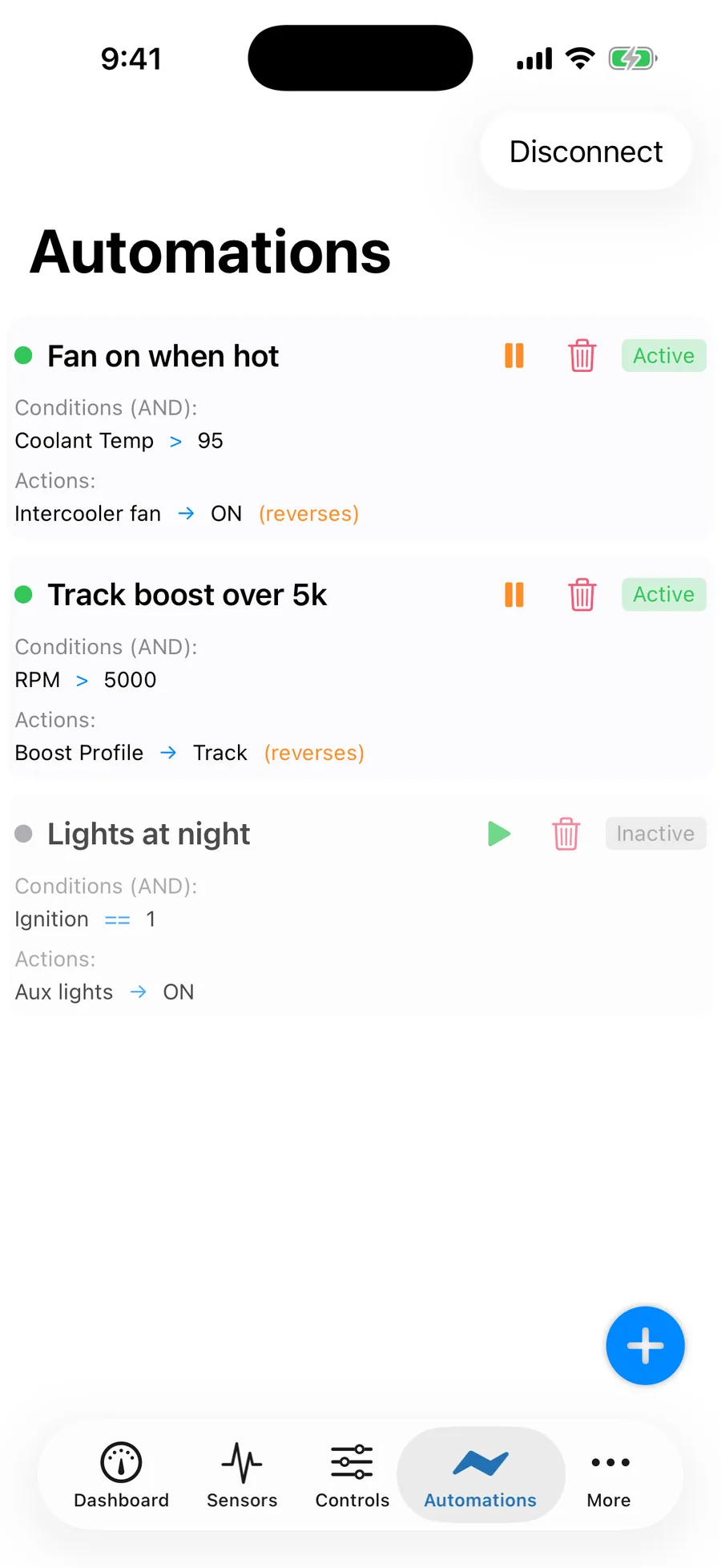
What an automation is
A rule combines a name, an Active switch, conditions and actions. The current firmware supports 10 rules, with up to 8 conditions and 8 actions per rule. The editor shows the limits reported by the connected device; older firmware may expose fewer options.
- Conditions compare available inputs, controller states or system values.
- Logic combines them with ALL, ANY or an expression containing nested groups.
- Timing controls when a matching rule starts, stops and can run again.
- Actions change supported controls, optionally after a delay or for a finite hold.
Actions run once per activation, not once on every control tick. A rule must end and become eligible again before it starts another sequence. Dedicated controller ownership and protective cuts remain in force.
The Automations tab
| Control | Use |
|---|---|
| Rule row | Read the condition/action summary; tap to edit. |
| Active switch | Enable or disable the saved rule on the device. Disabling stops its active sequence and applies the engine's safe exit to affected controls; do not expect an active output to stay on. |
| + | Create a rule in an available slot. |
| Delete | Remove the rule after confirmation. Review any rules that refer to that slot before changing the rule set. |
| Refresh | Read the current device state again. |
A saved unavailable input or target is shown as unavailable rather than silently replaced. Reassign it deliberately, or cancel editing while you investigate the original configuration.
Creating a rule
- Configure its sources and outputs first
Name and calibrate sensors, enable the OBD values you need, and define CAN signals. Select compatible output modes and leave controlled equipment disabled during setup.
- Add the rule
Tap +, enter a useful name and choose whether it should become Active when saved.
- Add conditions
Choose each parameter, operator and value. For an ordered numeric comparison, set hysteresis if needed. Check the unit displayed by the editor.
- Set logic and timing
Use ALL/ANY for a simple rule, or enter an expression using condition numbers. Review trigger/release delay, cooldown, maximum active time and any linked-trigger requirement.
- Add actions
Choose each supported target and value. Set start delay and, where appropriate, a hold duration and restoration behavior.
- Save and verify
Save sends the complete rule to the ESP. Wait for acceptance and inspect the returned configuration. Rejected or disconnected saves are not applied confirmations.
- Test the complete cycle
With suitable dummy loads, make conditions true, false and unavailable. Confirm timing, restoration, cooldown and behavior after restarting without the phone.
Automation Details
| Field | Meaning |
|---|---|
| Name | A nonempty label shown in the app and recorded events. |
| Active | Whether the device may evaluate and run this rule. Review active rules before enabling any attached controller. |
| Condition Logic | ALL conditions (AND) or ANY condition (OR). Used when the optional expression is empty. |
| Expression and timing | Nested expression, linked-trigger requirement and rule timers. See logic and timing. |
Conditions
The picker combines the connected device's supported fields with your configured sensors and decoded signals. Use the displayed signal identity and unit; two signals with similar names are not automatically interchangeable.
| Source group | Examples |
|---|---|
| Vehicle data | Available OBD parameters such as RPM, coolant, speed and throttle. Availability and update rate depend on the vehicle and connection. |
| CAN 1 / CAN 2 | Enabled, defined signals identified by bus, frame and signal. A received raw CAN ID needs a correct decoder before it becomes a meaningful numeric condition. |
| Inputs | Configured IN1–IN6 values, level/switch state, validity, connector voltage and acquisition age. |
| Outputs and boost | Output state/duty where offered; boost target, actual, error, profile, mode, enable/state and external EBC group/target/pulsing. |
| WMI | Enable, state, duty, priming/fault, measured flow/pressure/level, delivery/grace/recovery and protection status supported by the firmware. |
| Nitrous | Enable, state, profile, duty/fault and individual stage nitrous/fuel duty, state/time and retard-request status. |
| System and rules | Ignition, reported dedicated-rail state, CAN connection state, sensor validity and other rules' enabled/triggered state. |
Every condition's source must remain available. A missing input does not become zero or false permission, including under NOT or OR logic. Missing required measurements immediately end the affected sequence and apply the safe exit. A reported output duty or rail indication is not a measurement of load current or successful physical operation.
Operators
Numeric fields offer the comparisons supported by the device, including greater than, less than, equality and their inclusive/not-equal variants. Switches use ON/OFF; state fields use named choices. Enter values in the displayed units—the app converts applicable values and hysteresis widths to their stored units.
Hysteresis width is available for ordered numeric comparisons. Once a condition has matched, the value must cross back by that width before it releases. For example, a condition Coolant > 95 °C with 5 °C hysteresis starts above 95 °C and releases at 90 °C or below. Hysteresis does not apply to equality, text or switch conditions.
Use hysteresis for a stable temperature/pressure boundary. Use trigger delay for a condition that must persist for a period. Neither should hide a missing or stale source.
ALL (AND) vs ANY (OR)
- ALL conditions: every condition must match.
- ANY condition: at least one condition must match, while all configured sources remain available.
- Expression: combine numbered conditions using
&(AND),|(OR),!(NOT) and parentheses. For example,(1 & 2) | !3. An empty expression uses the ALL/ANY selector.
The numbers refer to the condition rows above. After adding, deleting or reordering conditions, recheck the expression. The device rejects invalid expressions rather than guessing what you meant.
Rule timing
| Setting | Meaning | Range |
|---|---|---|
| Trigger delay | How long the rule must remain eligible before activating. | 0–600,000 ms |
| Release delay | How long normal false conditions may persist before ending an active rule. Unavailable required input bypasses this delay. | 0–600,000 ms |
| Cooldown | Waiting period before another eligible activation. | 0–3,600,000 ms |
| Maximum active time | Bounds the duration of one activation, even if conditions remain true. | 0–3,600,000 ms |
Zero disables the corresponding timer. Timers use whole milliseconds; the controller's execution cadence still determines when it can act.
Linking rules
Enable Require a linked trigger on a rule that should run only after another rule opens its trigger window. In the parent rule, add Automation N Trigger and set the window duration. The child must still meet its own conditions; a trigger does not bypass its gates or cooldown.
Automation N Enable changes a rule's enabled state; Automation N Reset resets its active runtime state. Links cannot target the same rule or form a cycle. Review every reference when changing the rule set. These are bounded links between saved rules, not an unrestricted script engine.
Actions
| Target | Available changes |
|---|---|
| Available output | ON/OFF, commanded duty from 0–100%, or supported Mode selection. The output must be enabled and in an operating mode. |
| Boost | Target within the configured maximum, profile, control mode and enable. External Boost Group is offered when the EBC is configured. |
| WMI | Enable, Basic/Table mode or a bounded Prime command. Prime is an event, not a setting that can be undone. |
| Nitrous | System enable and profile. Enabling still requires the controller's configured arm/gate/protection checks. |
| Other automations | Trigger for a defined window, enable/disable or reset, subject to cycle validation. |
Sensors are conditions, not actuator targets. The editor disables targets that are unavailable or owned by a dedicated controller. To change boost, WMI or nitrous, use that controller's supported action instead of writing directly to its reserved output. Naming the same physical setting differently does not create a separate output.
Sequence timing
Start delay is measured from the rule's activation. Each action runs at most once in that activation and only while the rule remains active. Different delays let you build a bounded sequence without creating a rule for every step.
For a reversible setting, enable restoration and set Hold duration to restore the captured prior value after that many milliseconds. A hold of 0 lasts until the rule exits, when the selected restore behavior applies. Start delay accepts up to 600,000 ms; hold accepts up to 3,600,000 ms. WMI Prime, rule Trigger and rule Reset cannot have a restorative hold or reverse action. Missing required input cancels pending actions immediately.
Reverse When Conditions Not Met
The current editor calls this Restore Previous Value When False. It restores the value captured when the action actually started—not an assumed opposite. If an output was at 30% before a temporary 70% action, normal restoration returns it to 30%.
With restoration off, a setting change can remain after normal conditions become false. Disabling/resetting a rule or losing required input uses the engine's safe exit instead; do not rely on normal restoration to maintain an actuator during a fault. Events such as Prime, Trigger and Reset have no inverse.
Avoid overlapping rules that compete for the same setting. The device arbitrates shared targets, and dedicated controller ownership and failsafes take priority over a requested action.
Limits and validation
- Current LS firmware: 10 rule slots, up to 8 conditions and 8 actions each.
- Device-reported capabilities: the editor uses the connected firmware's limits. Update compatible firmware before relying on new timing or expanded fields.
- Valid shape: a name, at least one condition and one action when creating a working rule, valid values and a valid expression.
- Valid references: available sources, supported action targets and no self-links or cycles.
- Output ownership: a direct output action cannot take a channel reserved by boost, WMI, nitrous or external EBC control.
- Timed actions: finite holds require restoration; event-only actions cannot be reversed.
Read a save error, correct the identified configuration and save again. A rule remains a draft until the ESP accepts it. After reconnecting, read the device's saved rule rather than assuming an older phone or cloud draft is current.
How rules run on the device
Rule definitions, source calibration, CAN definitions and controller settings are stored on the ESP. Configured rules can operate without a connected phone. The rule/controller scheduler has a nominal 20 ms cadence; this is not a measured end-to-end sensor-to-actuator latency guarantee.
On activation, the engine starts the sequence once. Delayed actions run only while the rule remains active. Missing source data cancels the sequence immediately, without waiting for release delay. On power-up, an eligible saved active rule can run again—including a rule that enables nitrous—so check startup behavior as part of the installation.
A phone must be connected and recording to capture a full drive log. Selected automation conditions, activity and controller effects can be included in that log, with events and acquisition information for review. Local rule execution continues independently of phone logging or Cloud upload.
Recipes
These are setup patterns, not values qualified for your vehicle. Substitute your own calibrated signals, limits and electrically compatible outputs. Test normal, false and missing-input cases with the equipment safely isolated.
1. Radiator fan on when hot
Condition: Coolant > your chosen temperature, with a hysteresis width. Action: the available fan output ON, with Restore Previous Value When False. Start with that output off so normal release returns it to off. Use a compatible fan controller or relay interface when direct PWM is unsuitable.
2. Water/meth tank empty warning
Condition: the configured tank level is below your minimum. Action: an available warning-lamp output ON. Configure WMI's own tank/flow/pressure interlocks for injection protection; a warning rule does not replace measured delivery protection.
3. Low fuel pressure protection
Conditions: low measured fuel pressure and the operating state where that pressure matters. Action: Boost Enable OFF, or a deliberately chosen supported boost target/group action. Configure the nitrous fuel-pressure interlock separately if nitrous is installed. Review how and when the system will be re-enabled.
4. Intercooler spray on hard pulls
Use ALL conditions for throttle, RPM and intake temperature. Action: an available spray output ON with restoration. Add a maximum active time and cooldown if required. Test loss of each source as well as normal release.
5. Dash switch controls an output
Condition: a calibrated level/switch input ON. Action: an available accessory output ON with restoration. Verify switch polarity and disconnected-wire behavior before fitting the load.
6. Oil pressure warning lamp
Use ALL conditions for low oil pressure and RPM above the engine-off range. Action: a warning lamp ON with restoration. Select a threshold based on the engine and sender rather than assuming one pressure fits every RPM.
7. Two-stage fan with a dead band
Use one rule for each independently driven fan or supported fan-speed setting, each with its own threshold and hysteresis. Give both explicit restoration and inspect their shared-output behavior if they target the same channel. A dedicated multi-speed fan interface may be preferable to conflicting output commands.
8. Ethanol-based boost map (external controller)
With a calibrated ethanol percentage signal and compatible configured EBC, use thresholds/hysteresis to select a supported Boost Group. Frequency-output flex-fuel sensors need a conditioner or CAN interface before they can provide a value through the analog inputs. Confirm the external controller's actual group and startup synchronization physically.
A timed accessory sequence
For a compatible test accessory, start one action immediately and delay a second. Give reversible actions finite holds if they should return to their prior values. Alternatively trigger a second saved rule for a limited window; it must still meet its own conditions. Interrupt the parent conditions during each delay and hold to confirm the sequence stops as intended.
CarPlay Rules tab
CarPlay shows configured rules and their enabled state. Its rule toggle changes the same saved rule as the phone; it is not an independent rule engine. Create and edit rules in the phone app or review configuration changes through the connected-device workflow. Make configuration changes while stationary.
Manual control and saved rules
For a generic output, a live manual command takes control until you choose to resume saved rules. For an assigned controller, use its own live actions. An explicit controller Stop holds off matching rule actions until you explicitly start or resume it. Profiles, protections and saved rules stay configured; a live command is not a new persistent unattended demand. Global safety and interrupted-configuration recovery still inhibit outputs.
Related
- Level / switch inputs — wiring switches and floats as conditions.
- Output modes — operating modes and dedicated controller ownership.
- OBD Settings — enabling the parameters you want as conditions.
- External boost controller — the Boost Group target.
- Alerts — phone notifications on thresholds, independent of rules.
- Data Logging → Event timeline — see when rules fired.